
Residential vs Datacenter Proxies: Which Is Right for You?
You are about to pay for a proxy, and someone is about to sell you the expensive one. Pause for five minutes first. The difference between residential and datacenter proxies is simple, and once you see it, the right choice for your job is usually obvious.
The one difference that decides everything
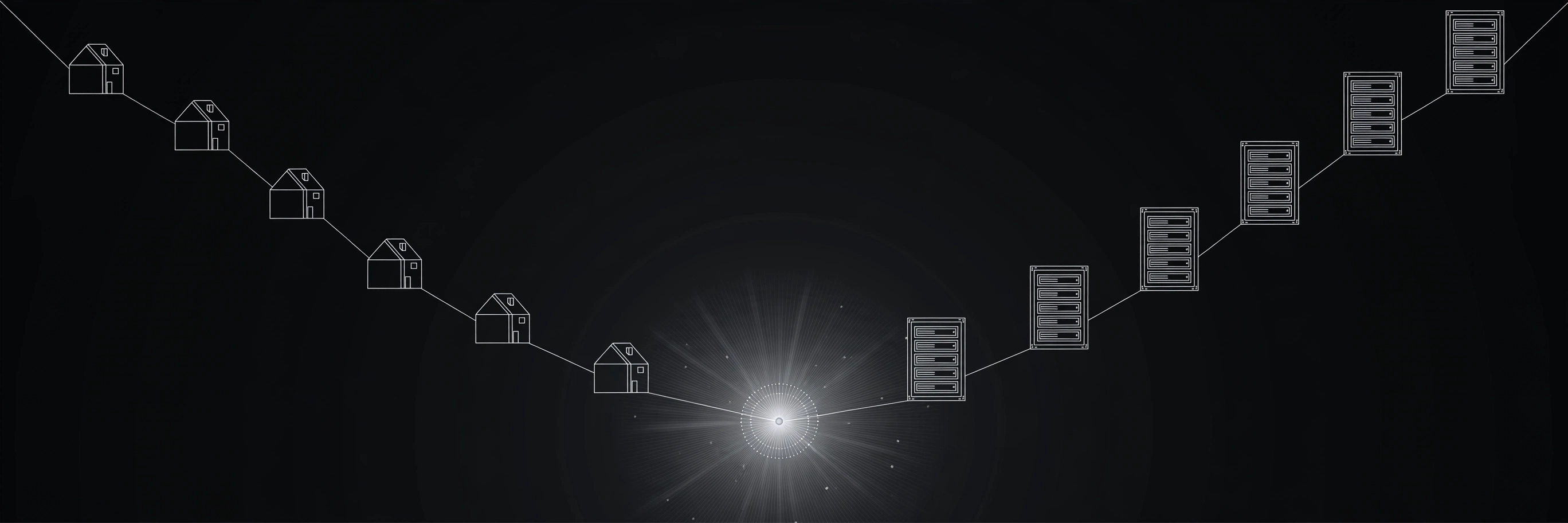
A datacenter proxy lives on a server in a building full of servers. Its IP address belongs to a hosting company, and any website can look that up in a second. The site sees a machine, not a person, and it knows it.
A residential proxy borrows an IP address from a home internet connection. It belongs to a regular internet provider, the kind that serves houses and flats. To a website, that visitor looks like someone sitting on a couch with a laptop. Nothing about the address screams "server."
That is the whole story. Speed, price, and blocks all flow from that one fact: servers are fast and cheap, home connections are slower, and datacenter IPs are easy to spot.
Side by side: what actually changes
- Speed. Datacenter wins, usually by a lot. A server on a fat pipe answers fast. A home connection answers whenever it feels like it.
- Cost. Datacenter proxies are usually sold per IP per month, and they are cheap. Residential proxies are usually sold by the gigabyte, and the bill adds up fast once you start pulling real data through them.
- Trust. Residential wins. Sites treat home IPs like normal visitors. Datacenter IPs get flagged, rate limited, and handed CAPTCHAs far more often.
- Stability. Datacenter wins again. A server stays up. A home connection drops when someone restarts a router or the owner goes on holiday.
- Location choice. Residential wins for precise targeting. Home IPs exist in every city. Datacenter IPs cluster in a few big hosting cities.
Here is my blunt opinion: if a seller tells you residential is always better, check what they are selling. Most of the time, it is residential. The honest answer is that each type wins different jobs, and the seller who admits that is the one worth listening to.

Prefer watching? This short explainer walks through the speed versus trust trade-off in a few minutes.
The free test: try the cheap option first
Do not buy anything yet. Run this test with a free proxy first, and let the result decide for you:
- Grab a free proxy from the ProxyNest proxy list. Filter for low latency and a recent green check, then copy the IP and port.
- Run your exact task through it, once. The same page, the same kind of request you actually plan to make. A vague test tells you nothing.
- Watch what happens. Page loads clean? A datacenter-style proxy is enough for this job. CAPTCHA wall, 403 error, or an empty page shell? The site checks IP origin, and you are in residential territory.
- Repeat with two or three proxies before you conclude anything. One dead proxy proves nothing except that free proxies die, which you already knew.
When I tested this myself, the split was clean. A plain public price page loaded fine through a free ProxyNest proxy. A login-heavy social page threw up a CAPTCHA on a datacenter-style IP, and a second one did no better. That is the test doing its job.
Check the proxy with the Proxy Checker and confirm what the internet sees with the What Is My IP tool first. A proxy that leaks your real address fails the test no matter how fast it looks.
Two jobs, two answers
Job 1: checking prices on an open store page
Sara runs a small online shop and checks competitor prices twice a week, about 40 product pages per session. The pages are public, there is no login, and no one is guarding them hard. She ran the free test above, the pages loaded fine, and that was the end of the question. Paying for residential IPs here would be like hiring a bodyguard to walk to the corner shop.
Job 2: managing several social accounts or catching a limited drop
Dan manages three client accounts on a social platform that already knows what datacenter IPs look like. Logins from server ranges get challenged fast, and one bad session can flag an account. For him, residential IPs with sticky sessions are the price of doing the job at all. Even then, a proxy does not make banned automation allowed, so check the platform's rules first.
Notice what neither answer says: "buy the most expensive thing." The right proxy is the cheapest one that actually gets the job done.
The part comparison tables skip
Residential IPs come from real people's connections. Some providers pay users who opt in, which is fair enough. Others get their IPs from apps that quietly signed people up without making it clear, which is not. I wrote about the dark side of this in detail after Avast reported millions of attacks tied to residential proxy networks: Avast blocked 20.8 million attacks tied to residential proxies. Read it before you buy.
My rule is simple. I would not buy residential IPs from a provider that cannot explain, in plain words, where its IPs come from. If they dodge the question, walk away. Your traffic is only as clean as the network carrying it.

So which one is right for you?
- Your task is public, no login, and cost matters? Datacenter. Or free. Start there.
- You keep hitting CAPTCHAs, 403s, or blocks? Residential. The site is checking where you come from, and only a home IP passes quietly.
- You need the same IP for a whole session, like a login? Static or sticky residential, the kind that does not rotate mid-session.
- You just want to browse or test something casually? Do not pay at all. Grab a free proxy from the proxy list or browse by country on the locations page.
- You run a mix of jobs? Use both. Cheap datacenter proxies for the bulk work, residential only for the few protected requests. That hybrid setup is how most sensible projects actually run.
If you are still unsure, the free test above settles it better than any article can. For the background on proxy types, see HTTP vs SOCKS5: which one should you actually use?, and the FAQ covers the questions people ask us most.
Try it free before you pay for anything
ProxyNest's list is free, no signup, and every entry carries real measured data. Pick a proxy and test it. If your job works, you just saved a subscription. If it does not, you now know exactly what to pay for and why. A comparison of proxy types from an independent guide, Apify's datacenter vs residential vs ISP decision guide, lines up with the same conclusion: start with the cheapest type that meets your success rate, and upgrade only when the data says so.
Comments
Loading comments…
Leave a comment