
What Is a Reverse Proxy? (The Other Side of the Story)
You already know the proxy that hides you. A reverse proxy does the opposite job: it stands in front of a website and hides the website, not you. Can a proxy from our list do this job? The short answer is no, and here's why.

Forward vs reverse: the same middleman, the opposite job
Think of a forward proxy as your spokesperson. You hire it. It talks to websites for you, and those websites see its address instead of yours. That is the kind of proxy you find on the ProxyNest proxy list.
A reverse proxy is a website's spokesperson. The website hires it. Visitors talk to the reverse proxy, and it talks to the real servers behind it. Visitors never see those servers directly. They just see one clean front door.
Same trick, flipped around. One protects the person asking. The other protects the machine answering. Here's my blunt opinion: most explanations stop right there, and that is why people stay confused. A definition does not tell you whether you need one.
What happens to a single request
Say you open a small online shop. This is what happens when a reverse proxy sits in front of it:
- Your browser sends the request to the reverse proxy, not to the shop's real server.
- The proxy checks it. Is it asking for a page it already has saved? Is it from a blocked address? Shop or blog?
- It passes the request to the right server behind it, one the public internet cannot reach directly.
- That server answers the proxy, and the proxy hands the answer back to you.
You never notice any of this. The address bar looks normal, the page loads normally, and you talked to a gatekeeper instead of the server itself.
Prefer watching? This short explainer walks through forward and reverse proxies with real-world examples.
The five jobs a reverse proxy does for a website
1. It spreads the load
One server can only handle so much. A reverse proxy shares visitors across several servers behind it, and skips any server that goes down. That is load balancing, and it is how big sites stay up on busy days.
2. It caches the boring stuff
Logos, stylesheets, and product photos rarely change. A reverse proxy keeps copies and serves them straight away, without bothering the real server. Pages load faster.
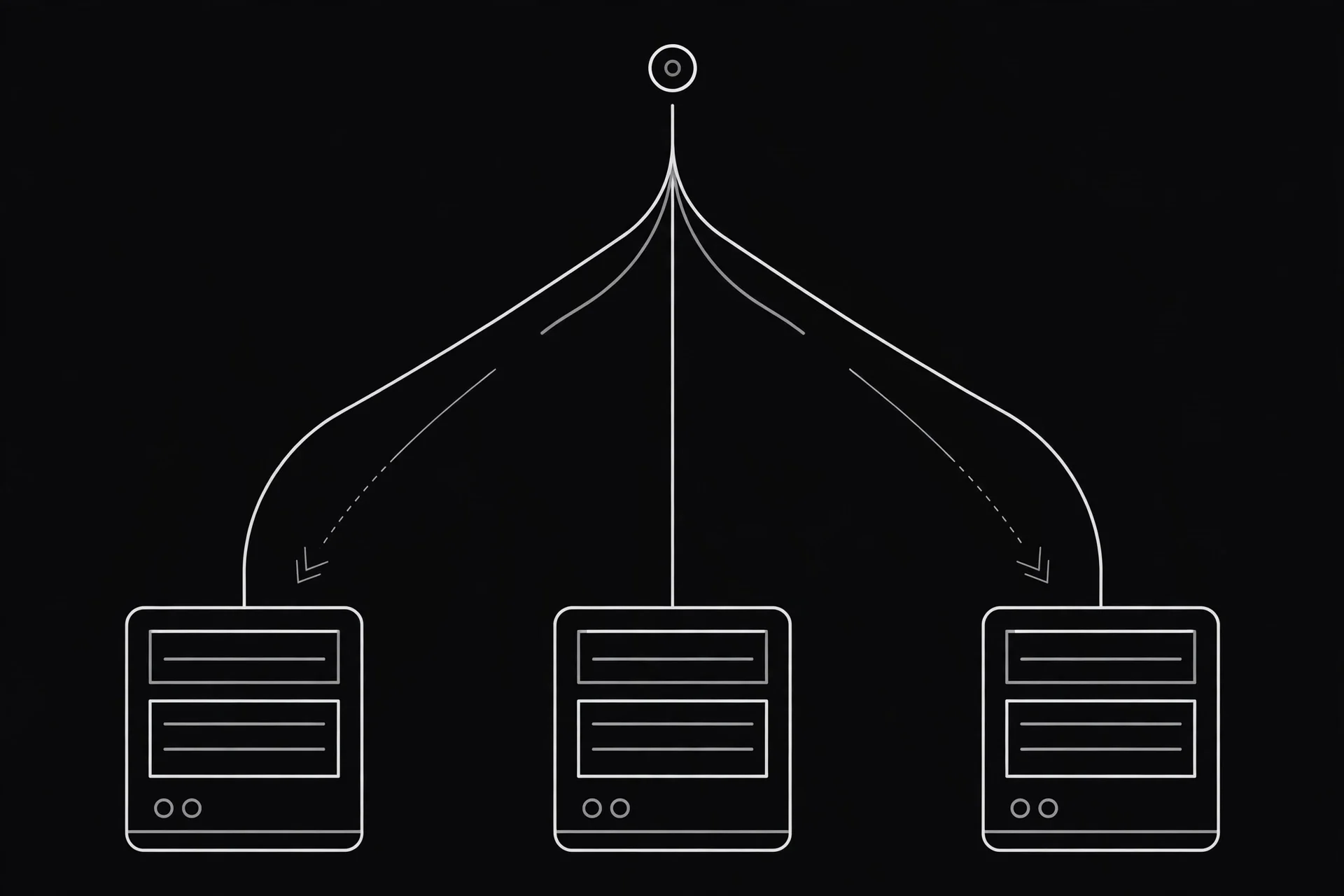
3. It hides the real servers
Attackers cannot hit a server they cannot see. When only the reverse proxy faces the internet, the real servers sit safely behind it, and junk traffic gets filtered first.
4. It handles the encryption
HTTPS handshakes take work. A reverse proxy takes that work off the backend servers, so they can focus on the actual app.
5. It routes by address
One front door can serve many rooms. Requests for example.com/shop go to one server, example.com/blog to another, and an API to a third. Visitors see one site.
How I spotted one in the wild (on our own site)
When I tested this on ProxyNest itself, the setup was plain to see once I knew what to look for. Visitors to proxynest.live do not talk directly to the app that serves the proxy data. They talk to nginx, a web server acting as a reverse proxy, and nginx passes API requests to the app behind it.
You can run the same check on any site in about a minute. Open our HTTP Header Checker and look at the server header. If it names nginx, Cloudflare, or another gateway instead of the app itself, a reverse proxy is probably standing in front of it. For more background, How-To Geek's reverse proxy explainer covers the same mechanics in more depth.
Do you actually need one? A 30-second decision test
- Do you run a website or an app that other people visit? If no, you do not need a reverse proxy. You need a forward proxy or a VPN. Our proxy list and our beginner's proxy guide are the right place to start.
- Does your site slow down or crash when traffic spikes? If yes, a reverse proxy with caching and load balancing is one of the first fixes worth trying, before you pay for a bigger server.
- Are you worried about your real server address being exposed? If yes, putting a proxy in front of it is a sensible layer of protection, alongside keeping your software updated.
If you answered no to the first question, stop here. You have your answer, and you just saved yourself an afternoon of configuring something you would never use.
What a reverse proxy will NOT do for you
This is the part other guides skip, and it is the part that saves readers from bad decisions:
- It will not hide your IP address when you browse. It protects servers, not visitors.
- It will not unblock a site that is blocked in your country. It does not smuggle you past a block.
- It will not turn a free public proxy into your guard. You cannot take an IP from the ProxyNest list and make it your site's reverse proxy. Those proxies are built for outgoing browsing.
- It will not fix bad code. If your app is slow because of a heavy database query, a proxy caches around the edges, but the slow query is still there.

Getting this wrong costs real time. I used to see people paste a free proxy into their server settings and wonder why nothing worked. Now you know why: they hired a spokesperson for the wrong side of the conversation.
Set one up in an afternoon
If you do run a site, here is the simplest path.
- Step 1: Pick your front door. That means nginx on your existing server, or a free Cloudflare plan in front of your site. Cloudflare is the zero-install option. Nginx is the one you fully control.
- Step 2: Point it at your app. With nginx, one small block tells it where your app lives, usually on the same machine at localhost:8000. Visitors hit nginx, and your app never faces the internet directly.
- Step 3: Turn on caching for static files. Tell the proxy to keep images, stylesheets, and scripts for a while. This alone often makes a site feel faster.
- Step 4: Test it like a visitor. Open your site, then run our What Is My IP tool and HTTP Header Checker to confirm what the outside world now sees.
Start small. One proxy, one app, caching on.
So, which side are you on?
If you browse, you want a forward proxy: something that stands up for you. If you run a site, you want a reverse proxy: something that stands in front of it. Mix those two up and you will waste time wondering why nothing works.
Want the browsing side? Grab a live proxy from the proxy list, check it with our Proxy Checker, and read the FAQ if anything looks odd.
Comments
Loading comments…
Leave a comment