
Do Proxies Help Gaming Ping? The Honest Answer
You saw a post promising lower ping through a proxy. Here is the short answer: usually, no. A proxy adds an extra stop between you and the game server, so your ping normally goes up, not down. There is one real exception, and a 10-minute test tells you which side of the line you are on.

The short answer: a proxy adds a stop, so ping usually goes up
Ping is the round trip time for your data to reach the game server and come back, measured in milliseconds. Without a proxy, the path is you, then the server, then you. With a proxy, it is you, then the proxy, then the server, then the proxy again, then you. Every extra stop costs time.
I used to assume a proxy near the server would always help. Then I watched friends chase that idea for weeks, swapping proxies every night, while their real problem sat untouched: a weak Wi-Fi signal two rooms from the router. The proxy was never the fix.
Here is a concrete example. Say your direct ping to a European server is 90 ms, steady. You route through a proxy in another region and it jumps to 130 ms with spikes to 200 ms. You did not buy speed. You bought a detour. On a shared free proxy, other people's traffic queues up in front of yours. That queue is jitter, the wobble that makes shots feel late even when the average ping looks fine.
So my stance is blunt: if someone promises that any proxy lowers ping as a general rule, they are selling you something.
The one case where a proxy can actually help
Sometimes your internet provider takes a bad route to a game server. Your packets zigzag through congested links before they arrive. In that specific case, a well placed proxy can give them a better road. It has to sit on or near the direct path between you and the server, and it has to be fast and stable. When both are true, ping can drop, or at least stop spiking.
Two other genuine uses exist. A streamer who keeps getting hit with targeted attacks can hide their real IP behind a proxy so attackers cannot aim at their home connection. And a player can reach a server region their provider routes badly. In both cases the proxy fixed a routing or access problem. It did not speed up a healthy connection.
How do you know if you are in this exception? You test it. Do not trust a screenshot from a seller. The test below takes 10 minutes.
Prefer watching? This explainer shows why SOCKS5 and HTTP proxies behave so differently, and that difference decides whether a proxy can carry a live game at all.
Why most free proxies make gaming worse
Free public proxies are shared, unstable, and built for browsing, not for 60 updates a second. Three problems hit gamers hardest.
First, the protocol problem. Launchers run over TCP, but live match traffic in most modern games runs over UDP. HTTP proxies only carry TCP, so the launcher may connect while the match itself silently fails. Only SOCKS5 supports UDP properly. Grab a random HTTP proxy and you are setting yourself up for a confusing failure. Our SOCKS4 vs SOCKS5 guide explains this split in plain terms.

Second, stability. Free proxies die, slow down under load, and sometimes rotate to a new IP mid-session. A mid-match IP change can boot you from a lobby. For casual browsing that is annoying. In a ranked match it ruins the game for your whole team.
Third, accounts. Publishers flag shared datacenter IPs, and some treat proxy use as a terms violation. A free IP that hundreds of strangers used yesterday may already carry a bad reputation. Check your game's rules first, and never use a free proxy for purchases or your account login. The same caution applies to banking, covered in why free proxies and banking do not mix. CG Mag Online's gaming proxy breakdown covers the same UDP point in more detail.
The 10-minute test: baseline vs proxied
Measure instead. You need two numbers per run: average ping, and how much it jumps around.
Step 1: Record your baseline
Play two or three normal matches with no proxy. Write down the in-game ping and note any spikes. Play at your usual time of day, because evening congestion alone can add 20 or 30 ms.
Step 2: Pick a SOCKS5 proxy near the game server
Open the proxy list, filter by SOCKS5, then pick a country that matches your game server, not your own location. Use the locations page to find it fast. Before you trust it, run it through our Proxy Checker. If it is already slow there, it will not get faster in a match.
Step 3: Test at the same time of day
Route only the game through the proxy and play the same number of matches. Keep everything else the same: same server region, same Wi-Fi spot, no downloads running. Change three things at once and the result means nothing.
Step 4: Keep it only if both numbers improve
Keep the proxy only if average ping AND jitter both improve. A lower average with wild spikes is worse, not better. If either number gets worse, drop it. You just saved yourself weeks of nightly swapping.
What actually lowers your ping
If the test says the proxy does not help, these fixes usually do, and most cost nothing.
- Pick the nearest server region by hand. Auto-select picks badly more often than people admit. This one change beats every proxy trick I have seen.
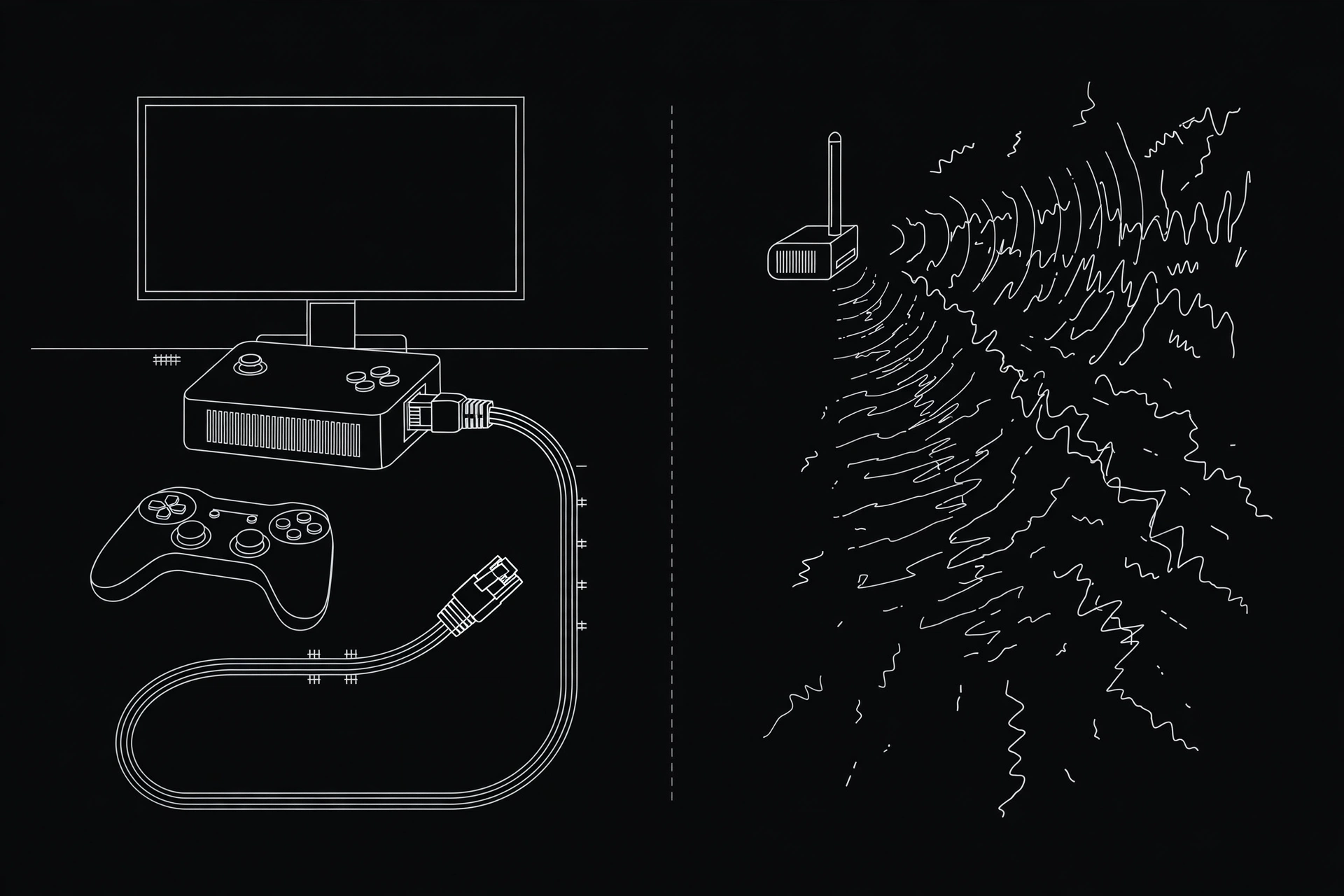
- Use a cable. Ethernet removes Wi-Fi jitter. If a cable is impossible, move closer to the router or switch to 5 GHz.
- Kill background traffic. Pause downloads, cloud backups, and streams on other devices before a match. One upload from another room can spike everyone's ping.
- Restart your router. It sounds too simple, and it still fixes stale-route problems. Check your connection first with our What Is My IP tool.
- Check the route, not just the speed. A fast download says nothing about ping. Our guide to why a proxy feels slow walks through the same diagnosis.
Comparing a proxy with a VPN? Our proxy vs VPN comparison has the trade-off: a VPN encrypts everything and usually adds more delay, while a SOCKS5 proxy routes only the app you point at it.
So, should you use a proxy for gaming?
For ranked matches on a free public proxy: no. The shared load, the UDP trap, and the mid-match drop risk make it a bad deal. For testing a route problem or shielding your IP as a streamer, a private, stable SOCKS5 proxy near the server is worth the 10-minute test, and only worth keeping if the numbers prove it.
That is the honest answer. Measure your own connection, fix the boring stuff first, and let the test decide.
Comments
Loading comments…
Leave a comment