
What Is a Proxy Pool and How Do You Build One From Free Proxies?
One proxy dies and your whole job stops. That is the problem a proxy pool solves. Instead of betting everything on a single IP and port, you keep a small group of proxies, your script takes turns using them, and the dead ones get dropped without you lifting a finger. Here is how to build one from free proxies in about twenty minutes.

Why one proxy is never enough
Say you need to check prices on 200 product pages. You grab one proxy, paste it into your script, and hit run. Page 47 loads fine. Page 48 hangs. The proxy died, your script is stuck, and your half-finished list is useless. You start over with a new proxy. Then it dies at page 90.
I used to work exactly like that. One proxy, one script, fingers crossed. It worked until it didn't, usually halfway through the job. A pool fixes the shape of the problem. No single proxy matters anymore. When one dies, the next request just uses another one.
What a proxy pool actually is
A proxy pool is a group of proxy IPs managed as one resource. Your code hands the pool a request, and the pool picks which proxy handles it. That is the whole idea. The pool does three quiet jobs: it picks a proxy per request, rests proxies that just failed, and drops the ones that keep failing.
There are two ways pools show up in the wild. A gateway pool gives you one address to connect to, and the provider picks the exit IP behind it. A static pool is a plain list of addresses, and your own code does the picking. Free proxies only come as the second kind, so this guide builds a static pool. If you want rotation explained first, our rotating proxy guide covers it in plain terms.
Here is my blunt opinion: most pool guides are written for people buying residential proxies by the thousand. They never show you a pool you can build for free in an evening. A ten-proxy pool from a free list beats a single paid proxy for a small job, because the pool survives deaths and the single proxy does not.
Prefer watching? This explainer shows how proxies sit between you and the web, the idea a pool builds on.
How big should your pool be?
Don't guess. There is a simple formula, stated cleanly in Webshare's proxy pool guide: divide the requests you send per hour by the requests one IP can safely send per hour, then add 50 to 100 percent headroom.
IPs needed = (requests per hour / safe requests per IP per hour) x headroom
Work it through. Your job is those 200 product pages in one hour, so 200 requests per hour. You decide one IP should send at most 30 requests an hour to that shop, one every two minutes. 200 divided by 30 is 6.7, call it 7. Add 50 percent headroom and you get about 10 proxies.
That is the paid-pool answer. The free-pool answer is: start with 15. Free proxies die while you work, so you want spares already in the pool. Ten is the math, fifteen is the reality.

Build your pool in 5 steps
Step 1: Decide the job and the size
Write down two numbers first: requests per hour, and requests per IP per hour you consider polite. Run the formula above. For most small jobs the answer lands between 10 and 20 proxies. If it is 3, a pool is overkill and one good proxy will do. If it is 200, think about a paid service instead.
Step 2: Pull fresh proxies from the ProxyNest API
One curl command pulls a live, tested list:
curl "https://proxynest.live/api/proxies?protocol=http&limit=50"That returns JSON with IP, port, country and the last measured latency for each entry. Take the 15 lowest-latency entries as your starting pool. The full endpoint list is on our API docs page, and our export guide shows the same pull in Python and Node.
Step 3: Verify each proxy before it joins the pool
Never trust a list entry blindly, even one from our own list. A proxy can pass a check at 9 AM and die at 9:05. Run each candidate through our proxy checker or the verify endpoint right before your job starts, and only let the ones that answer in.
Step 4: Add rotation, cooldown and retirement
This is the actual pool logic, and it fits in a few lines of Python:
import random, time, requests

POOL = []  # "ip:port" strings from step 2

def fetch(url):
    for _ in range(3):
        proxy = random.choice(POOL)
        try:
            r = requests.get(url, proxies={"http": "http://" + proxy,
                                            "https": "http://" + proxy},
                             timeout=10)
            if r.status_code == 200:
                return r.text
        except requests.RequestException:
            POOL.remove(proxy)
        time.sleep(2)
    return None
Three rules live in that snippet. Pick a random proxy per request, so no single IP carries the whole job. Rest two seconds between tries. Drop a proxy the moment it fails, so the next request never wastes time on it again. That last rule is the whole trick: a pool without retirement is just a list that slowly fills with dead entries.
Step 5: Refill the pool on a schedule
A pool shrinks as proxies die, so top it up. Re-pull from the API every hour or so while the job runs, verify the new entries, and add them in. If your job runs daily, rebuild the pool fresh each morning. The list refreshes every 30 minutes, so a fresh pull right after a refresh gives you the newest batch. See our guide to the best time to grab fresh proxies.
The test: does a free pool actually work?
When I tested this, the live list held 4,030 working proxies out of 124,448 total entries. I pulled 100 HTTP proxies, picked 10 at random, and ran each through the site's verify endpoint. All 10 answered, with latencies between 34 and 86 milliseconds.
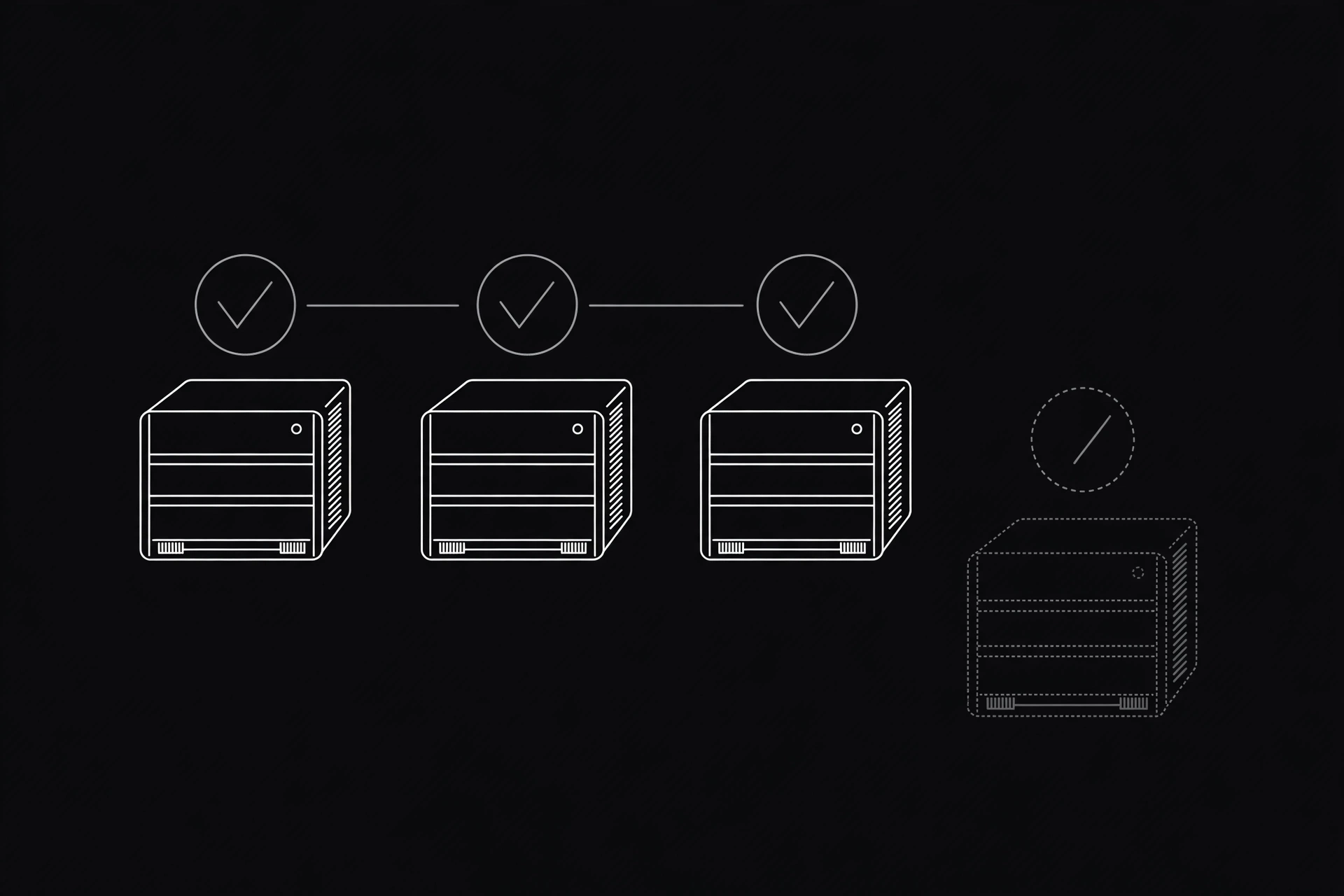
Read that result honestly. Ten out of ten answering a connectivity check is a good start, not a promise. It proves the pool's raw material is real. It does not prove each one will survive an hour of scraping. The pool works because it expects deaths, not because deaths never happen.
What breaks a free pool (and the fix)
- Same IP twice. The list sometimes holds one IP on several ports. Dedupe by IP, or one dead server takes out three of your entries at once.
- One country only. If every proxy sits in the same place, one regional block ends your job. Mix countries from our locations page when the site allows it.
- Too fast. Ten proxies sending a request every second is still ten requests a second from addresses the site can link together. Slow down.
- Ignoring the target's rules. Check the site's terms and robots file before you scrape it. A pool does not make an unwanted job welcome.
When a pool is overkill
Not every job needs one. Opening a blocked page once, checking how a site looks from Germany, testing a single request: one proxy does that fine. A pool earns its keep when a job has many requests or must finish without you babysitting it. If your job runs all day, every day, or touches logins and payments, a free pool is the wrong tool. Pay for a proper service then.
That is the whole build. Fifteen verified proxies, random picks, dead ones dropped, fresh ones added. Your next 200-page job will not stop at page 47.
Comments
Loading comments…
Leave a comment